A full raw editor for desktop and phone that syncs through a server you own. No subscription. No cloud account. No proprietary catalog holding your work hostage — just your originals, in dated folders, exactly where you put them.
Cloud editors move your originals onto someone else's disk, then rent them back to you by the gigabyte. Lumen syncs through plain WebDAV — a NAS, a Raspberry Pi, a rented box, or the machine already on your desk. There is no Lumen server, and no Lumen account.
Your originals sit in dated folders as ordinary files. Delete the app tomorrow and nothing about them changes.
A subscription editor stops editing the day the payment does. Years of work becomes a folder you can look at but not develop.
Lumen has nothing to lapse. And every edit you make is a small, readable JSON file beside the photograph — so even the edits outlive the software, not just the pixels.
Mobile editors are usually a lesser cousin of the desktop — fewer tools, different results, a separate library.
Lumen runs the same maths on both. The shader that renders a highlight recovery on the desktop is mirrored on the phone, and a test suite fails the build if the two ever drift apart.
You can pick up a photograph on the phone on the train, finish it at the desk, and hand the whole library to a different application in ten years — because it was never anything more exotic than files in folders.
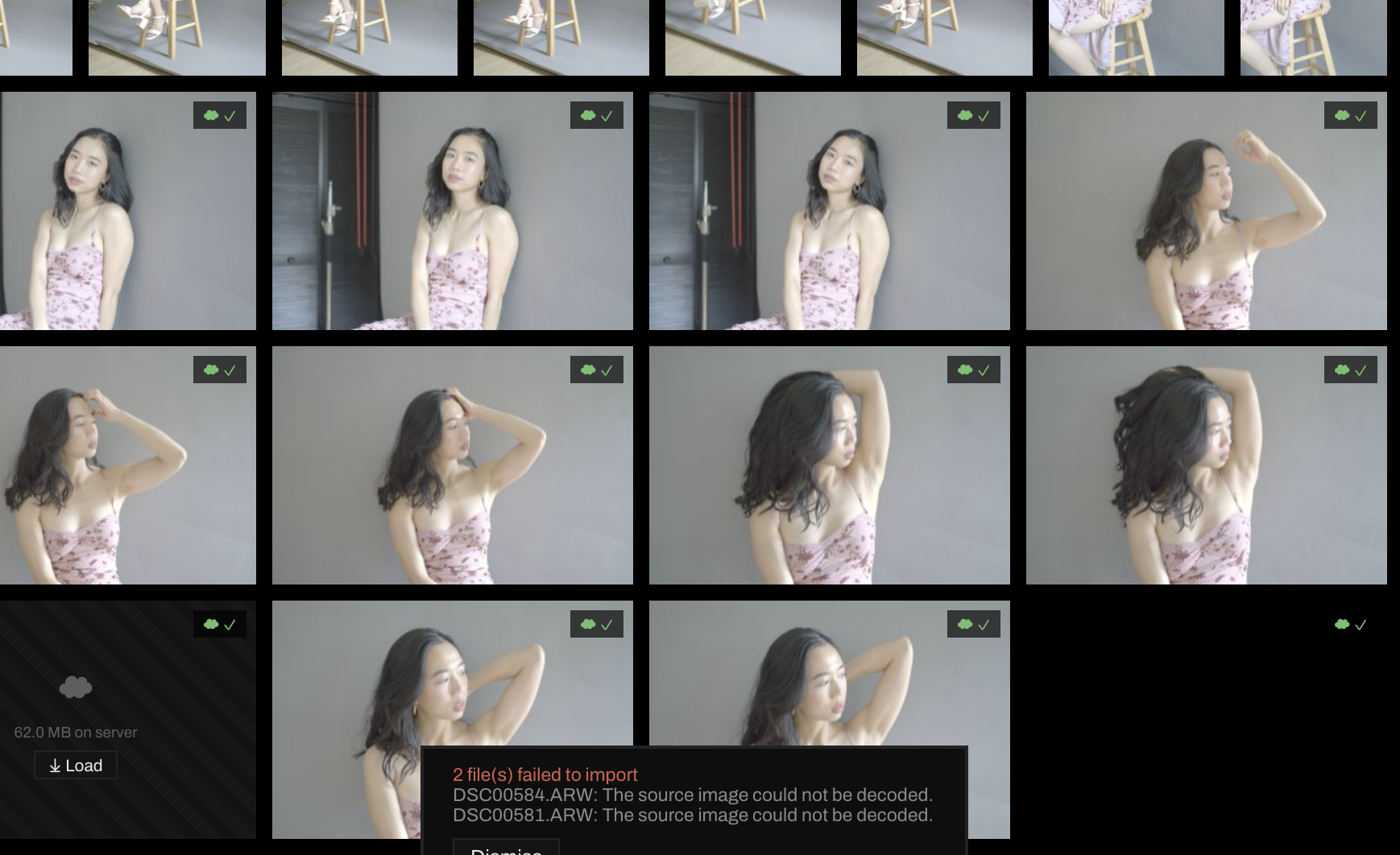
19 raw formats through LibRaw, with a full 16-bit demosaic and log-encoded working previews — so highlight recovery still finds detail a camera JPEG has already thrown away.
Exposure, contrast, highlights, shadows, whites, blacks. Texture, clarity, dehaze, vibrance, saturation. White balance by eyedropper or by number.
Master and per-channel RGB tone curves. An eight-band colour mixer with hue, saturation and luminance on each.
Shadows, midtones and highlights on colour wheels — angle is the hue, distance is how much of it — plus balance.
Sixty restorable history steps, each one a complete snapshot you can jump back to. Nothing is ever written to your original.
Every value scrubs. Drag away from the axis and the movement gets finer — 0.1× and 0.25× — so one gesture covers both rough framing and tenth-of-a-stop work without a mode switch.
Twelve panels, each with its own hue, in the same order on both devices. After a week you reach for the green panel rather than reading the word "Masking".
The brush shows the size it will actually paint, mapped through the same transform the renderer uses — so it stays honest when the photograph is cropped or zoomed.
Linear gradients for skies, radials for faces and spotlights, and a brush for everything neither of those can reach. Any mask can be inverted.
Exposure, contrast, highlights, shadows, whites, blacks, temperature, tint, saturation — plus blur and smoothing, for depth and for skin.
Spot healing that samples from where you point it, and dodge and burn brushes with independent size and strength.
Every mask and every retouch stroke is a row you can rename, duplicate, hide or delete — on the desktop and on the phone, with the same names on both.
Masks and healing live in the sidecar with everything else. Your raw file is never opened for writing.
Mosaic shows every frame in its true proportions, rows justified to the edge. Plate gives each photograph its own card. Sheet packs a contact sheet tight.
Ratings nought to five, pick and reject flags, and every one of them on a single key. Filter by rating, flag, edited state, or free text across filename, camera and lens.
Ordinary collections and rule-based smart collections, both syncing between devices — and keyed so that renaming one travels as a rename rather than making a second copy.
Before, split, and side-by-side, plus a true 1:1 loupe that pulls the full-resolution original on demand.
Tick which groups a preset should hold — light, colour, curves, grain, even masks — then apply it at any strength from 0 to 100% and move that strength afterwards without losing anything.
Every shortcut is printed on the button it belongs to and listed under ? — generated from the same table that handles the keystroke, so the list can never be out of date.
Photographs and their edits travel separately. A raw file moves once; its edits are a few kilobytes of JSON that move constantly, so an adjustment made on the phone is on the desk before you are.
A phone never needs your originals: it edits the same 2560px smart preview the desktop does, and asks for full resolution only when it genuinely needs it.
No NAS? The desktop can be the server. Turn on host mode and it runs a WebDAV server itself — your phone syncs to your laptop over the local network, with nothing in between.
| Lumen | Adobe Lightroom | Luminar Neo | |
|---|---|---|---|
| Cost model | Free — you run it | Subscription only | Perpetual licence or subscription |
| If you stop paying | Nothing to stop | Editing stops | Perpetual keeps working; add-ons may not |
| Where originals live | A server you own, in dated folders | Adobe's cloud, or a local catalog (Classic) | Local disk |
| Account required | None | Adobe ID | Skylum account |
| Desktop platforms | macOS, Windows, Linux | macOS, Windows | macOS, Windows |
| Phone editing | Same tools, same maths, verified by tests | Full mobile app, tied to the cloud plan | Separate mobile product |
| Sync between devices | Your WebDAV server, or host it from the app | Adobe cloud, by storage tier | Manual, or third-party sync |
| Edit format | Readable JSON beside each photograph | Catalog database, or XMP sidecars | Catalog database |
| Masking | Linear, radial, brush — 11 adjustments each | Above, plus AI subject, sky and object masks | Above, plus AI masks |
| AI features | None | Denoise, subject select, generative remove | Its whole premise — sky swap, relight, portrait AI |
Ownership, portability, Linux, and a phone that is not a compromise. If the idea of renting access to your own negatives bothers you, this is the whole argument.
No AI masking, sky replacement, denoise or generative fill. No panorama or HDR merge, no tethered shooting, no soft proofing, no plugins. If those are your workflow, the incumbents earn their money.
Point it at a folder on a server you already own, and it starts working. If you don't have a server, the desktop will be one for you.
macOS — Apple Silicon and Intel
Windows — x64 installer
Linux — AppImage and .deb, x64 and arm64
iOS and Android
The same editor, not a companion app
Edits offline, syncs when it can
Any WebDAV host
Nextcloud, ownCloud, a NAS
or host mode, built into the app